
A rental car identity verification request can feel intrusive when you are asked to upload a passport, driver's license, or International Driving Permit before a trip. The purpose is practical: the rental company needs to confirm that the person receiving the vehicle is the eligible driver named in the booking.

Quick answer: what identity verification confirms
Rental car identity verification connects four things: the booking, the driver, the driving documents, and the payment or handover record. It is not simply a request for more personal information. UK rental vehicle security guidance, for example, recommends matching the license photo to the renter and reconciling license and payment information for online bookings [2]. For Orcar, the payment cardholder may differ from the driver or booker.
| Check | What the company is trying to confirm | Common traveler action |
|---|---|---|
| Identity | You are the person named in the reservation | Provide a passport or accepted government ID |
| License | Your license is valid for the rental period | Upload or present the original license |
| Driving eligibility | Your documents are accepted in the rental country | Add an IDP or translation when required |
| Booking match | The main driver and reservation details are consistent | Use the same legal name across driving documents. The Orcar payment cardholder may be different. |
Requirements vary by country and supplier. Enterprise, for example, says international renters may need a valid home-country license, an IDP or translation depending on the license language, and sometimes a passport or travel document [4]. Your own rental confirmation remains the rule for your booking.
Which documents are usually checked
The exact list depends on the destination and rental company, but international travelers commonly prepare:
- Passport: establishes your legal identity and travel document details.
- Home-country driver's license: shows that you hold a license for the vehicle class.
- International Driving Permit: supports recognition or translation where local rules require it. An IDP does not replace the original license.
- Selfie or live photo: may be used to match the person submitting the documents to the identity evidence.
- Reservation and payment details: help reconcile the booking with the approved driver.
Good identity checking is more than reading a name. Government identity guidance describes a process that obtains evidence, checks whether it is genuine or valid, and checks that it belongs to the person claiming the identity [3].
If you are driving in Korea, review our Korea IDP guide before uploading anything. It explains why the original license and IDP need to be considered together.
How digital verification works before pickup
- You submit the requested documents. Use the secure link in your reservation flow, not an address copied from an unofficial message.
- The system checks image quality and document details. Blurred edges, glare, expired dates, or missing pages may trigger another request.
- Names and dates are compared. The legal name on the reservation should match the passport and license, allowing for supported formatting differences.
- A reviewer handles exceptions. A mismatch does not automatically mean rejection. It may require a clearer image or an explanation of a name change.
- Pickup is released after approval. Online verification can move document work out of the arrival queue.
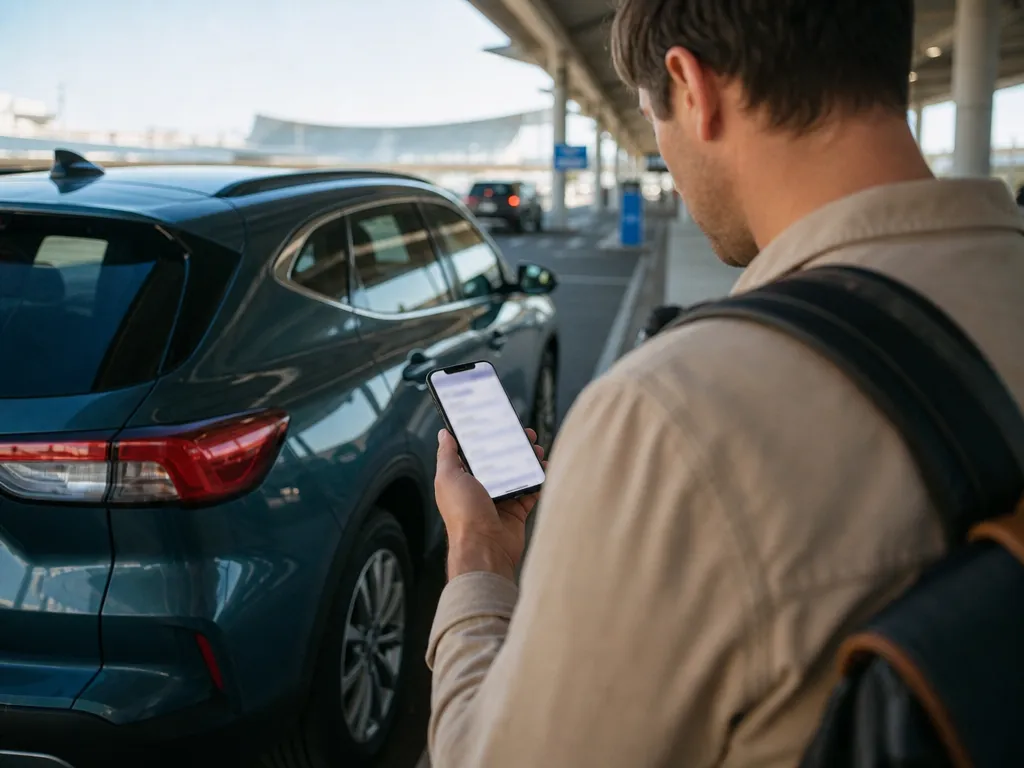
Orcar asks travelers to submit a passport, driver's license, and IDP online before pickup and says confirmation is normally completed within 24 hours [1]. This pre-trip step supports the contactless rental car pickup flow, where the handover does not depend on repeating all paperwork at a counter.
How to avoid a verification delay
- Use the legal name shown on your passport. Do not shorten a middle name or substitute a nickname unless the booking form instructs you to.
- Check every expiry date. The license should remain valid through the rental period.
- Photograph the full document. Keep all corners visible and avoid glare, blur, fingers, or shadows over key fields.
- Upload the correct side or page. If both sides of a license or the passport photo page are requested, include each one.
- Do not upload an IDP alone. Carry the original home-country license too.
- Verify every additional driver. A person who may drive should be approved under the rental terms before taking the wheel.
- Submit early. Leave enough time for a replacement image or manual review.
If the payer and driver are different people, read how to rent a car for someone else. Third-party payment does not automatically make the payer an approved driver.
What to ask about privacy and data handling
Identity documents contain sensitive information, so a trustworthy verification flow should explain what is collected, why it is needed, who receives it, how it is protected, and when it is deleted. The rental vehicle security guidance also states that identity checks must be paired with data protection and lawful information sharing [2].
Orcar's published privacy policy lists driver's license, passport, IDP, and selfie data used for driver and remote identity verification. It also states that passport and IDP images are deleted within 30 days after verification completion and describes the partners involved in verification, storage, vehicle handover, and insurance [5]. Check the current policy at the time of your booking because privacy terms can change.
Before uploading, confirm that the page uses the rental company's official domain, review the privacy notice, and ask support if the requested document does not match the stated purpose.
FAQ
Why does a rental company need my passport?
For an international rental, a passport may help confirm the renter's legal identity and match the reservation to the person collecting the vehicle. Requirements vary, so check the booking confirmation rather than assuming every rental needs the same documents.
Is an IDP enough for identity verification?
No. An IDP generally supports or translates a valid home-country license. It does not replace that original license or a passport when one is required.
Can I verify my identity at the pickup counter instead?
That depends on the supplier. Some rentals allow in-person checks, while contactless or remote handovers may require approval before access to the vehicle. Follow the deadline in your reservation instructions.
What if my names do not match exactly?
Contact the rental company before pickup. A middle-name format, marriage-related name change, or spelling difference may need supporting evidence or a reservation correction.
Does verification guarantee I can pick up the car?
No. Verification confirms identity and document eligibility, but pickup can still depend on payment, age, arrival time, and the specific rental terms. Orcar collects payment when you book. No security deposit or security hold is required. The payment card does not need to be in the driver's or the booker's name.
Ready to plan your rental? Browse Orcar cars and complete the document steps before your trip.